Sprouts
- 4.8
- Rating
- 1.00M
- Installs
- Free
- Price

 Analysis by App-foxy
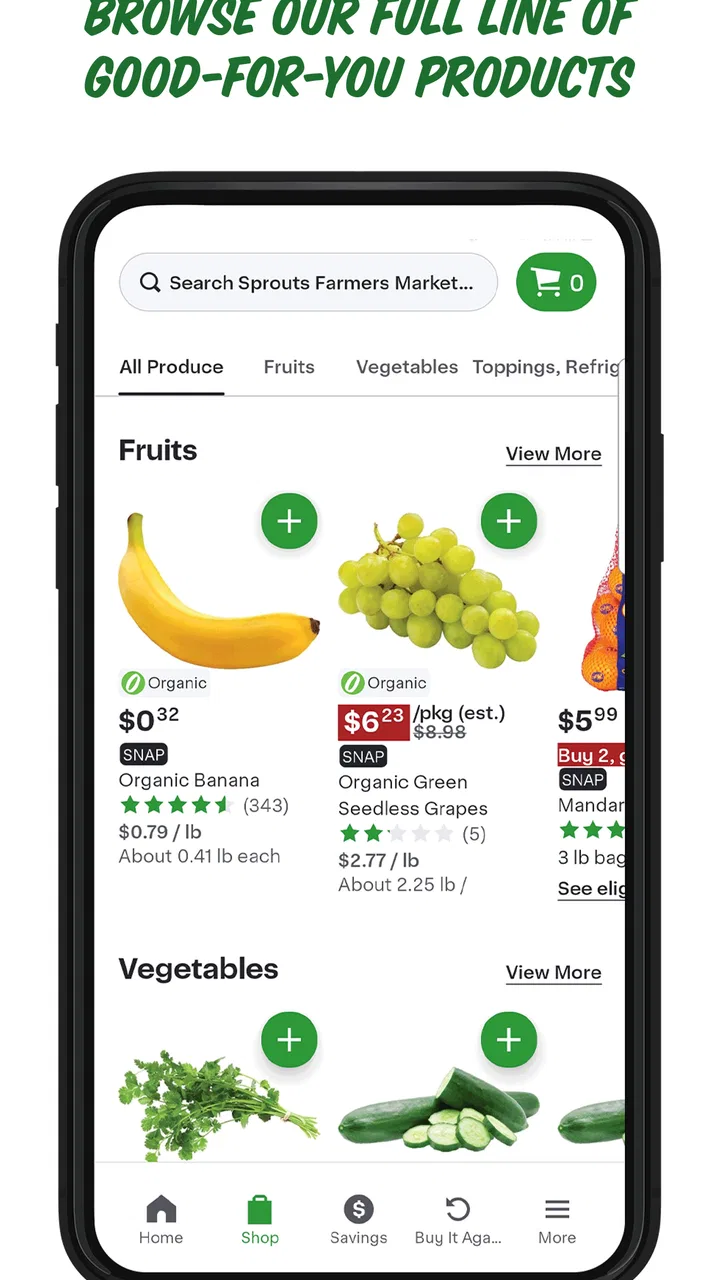
I spent time using Sprouts as a shopping companion rather than treating it like a simple store advertisement. It is a free shopping app from Sprouts App Developer, aimed at people who want to make healthier choices while keeping an eye on everyday spending. The basic idea is appealing: put useful store information closer to the moment when I am planning meals, checking a list, or standing in an aisle trying to decide whether a purchase still fits my budget.
That focus makes the app most interesting when I am already thinking about a Sprouts visit. It is not trying to replace every shopping tool on my phone, and I would not use it as a full nutrition diary or a universal comparison engine. Its value comes from connecting healthy-living intentions with a particular shopping routine. If Sprouts is already one of the places you visit, that narrower purpose can feel more practical than a generic grocery app.
The app has been available since late 2012, and its current version is 21.18.0. It is free to install, rated for Everyone, and runs on Android 8.0 or later. A 4.5 average from around 15 thousand ratings and more than a million installs suggests that it has reached a substantial audience, although popularity alone does not guarantee that every shopping trip will feel smooth.
You May Also Like

 Google Keep - Notes and lists
Google Keep’s Quiet Growth Shows the Appeal of Simpler Notes
As mobile work gets busier, Google Keep keeps winning a simple contest: capture a thought quickly, find it later, and get on with the day.

 Blood Strike: 2.5 Anniversary
Blood Strike’s Loadouts Turn Every Drop Into a Tactical Gamble
A close look at Blood Strike’s custom loadouts: how fast access to signature weapons reshapes its battle royale rhythm, rewards preparation, and narrows the gap between fights.

 Pandora - Music & Podcasts
Pandora’s Music Is Easy to Start, but Harder to Recover
Pandora’s strength is its low-effort path from a seed to a station. Its weak spot is how much confidence it asks you to place in connection, setup, and quiet recovery.

 8 Ball Pool
 Is Built on Rivalries, Rematches, and Routine
A close look at the rivalries, rematches, shared routines, and unanswered safety questions that turn a quick pool match into a persistent mobile community.

 Samsung Music
’s Quiet Strength Is Playing What You Already Own
Its reach comes less from spectacle than from dependable access to a personal library. That simplicity is both the app’s strongest retention engine and its ceiling.

 AccuWeather: Weather Radar
AccuWeather Review: A Quick, Clear Forecast for Everyday Decisions
For everyday plans, the best forecast is the one you can understand quickly. AccuWeather makes rain timing, radar, and local conditions easy to act on, with a few trade-offs.
More From Our News Desk



How Sprouts feels when the shopping trip depends on a connection
I find the connection question matters most when a quick check could interrupt an otherwise straightforward trip. In this section, I look at how I’d prepare for unreliable reception, keep essential decisions close at hand, and decide when it’s better to put the phone away and carry on with the shopping.
Planning before leaving home
The most comfortable time to use the app is before I leave. At home, I have enough time to think through what I need, check the app, and turn that information into a simple plan. This is also the point where a reliable connection matters most because I can wait for screens or information to load without blocking a queue or holding up another shopper.
I would use it as a bridge between a meal idea and a store visit. For example, if I am planning several fresh meals for the week, I can open the app while making my list and use the available shopping information to guide what I intend to look for. The useful habit is not merely browsing; it is deciding what matters before arriving. That reduces the temptation to wander through every aisle and buy items that were never part of the plan.
There is a small but important trade-off here. A store-focused app can be more relevant than a general notes app, but it also ties the experience to that retailer. If I am comparing several supermarkets, I still need another method for checking alternatives. The app is strongest when my destination is already settled, not when I am choosing between different stores based on a broad market comparison.
What happens in the aisle
Using a shopping app while moving through a busy store is different from using it at a desk. My attention is divided between shelves, carts, other customers, and the practical question of what still needs to go into the basket. A connection that feels perfectly adequate at home may feel slow in that situation. Even a short wait can be irritating when I am standing in an aisle with my phone in one hand and groceries in the other.
For that reason, I prefer to do the deeper planning in advance and use the app in the store for quick checks. I would not build an elaborate workflow that requires repeatedly opening several screens for every item. A short list written down or kept in a familiar notes tool can remain useful alongside the app, especially if I expect to move through areas where reception is inconsistent.
This is one of the less obvious ways to get more from it: treat the app as a planning aid first and a live reference second. That approach makes the experience less vulnerable to delays and keeps the phone from becoming the center of the shopping trip. I can still consult it when needed, but I am not depending on a perfect connection for every decision.
A realistic mobile routine
Imagine that I am leaving work and stopping at Sprouts on the way home. I have ten minutes to decide whether I can make dinner from what I already have and what I still need to buy. I might open the app while parked, review the information relevant to the visit, and create a short mental sequence: produce first, then chilled items, then pantry goods. Once inside, I can concentrate on finding those items instead of repeatedly searching from scratch.
That routine also shows where the app may not be the best tool. If I am already late, my phone battery is nearly empty, or the store has poor reception, the benefit of checking details can disappear quickly. In those moments, a paper list or a basic note is more dependable. The app can improve preparation, but it should not be the only thing holding the trip together.
I also find the mobile setting changes how much information I want. At home, browsing can be useful. In the store, concise information is more valuable than a long trail of taps. Anyone who dislikes using a phone while shopping may prefer to consult the app beforehand and leave it closed during the actual visit.
Handling interruptions and recovery
Connectivity problems are not always dramatic. Sometimes a page takes longer than expected, a screen needs to be refreshed, or I move from a strong signal into a weaker area. The important question is not whether interruptions ever happen, but whether my shopping plan can survive them. With this app, I would prepare for that possibility by checking the information I need before entering the store and keeping the essential list available in another form.
That is a practical recovery strategy rather than a claim about a special offline mode. I would not assume that every part of the experience remains available without a connection. Instead, I would separate the tasks: use the app for discovery and preparation when the network is dependable, then carry the final decisions in a simpler format for the aisle.
If something fails during a trip, I would first avoid repeatedly tapping the same control. I would pause, check whether the phone has a usable connection, and try again later from a less crowded or more stable location. When the immediate purchase is time-sensitive, I would simply continue with the list I already prepared. This sounds basic, but it prevents a minor loading problem from turning into a frustrating detour.
The same thinking applies after an interrupted planning session. Rather than starting over, I would keep a short record of the items or ideas already considered. That makes the next attempt faster and reduces the chance of buying duplicates. The app can support the process, but a resilient routine should not depend on one screen staying available from start to finish.
Using mobile data thoughtfully
People often think about data use only when an app streams video or constantly tracks location. Shopping apps can still become inconvenient when I open them repeatedly during a trip, especially if I am checking many pages while relying on mobile data. I would therefore use a simple rule: browse freely on a trusted connection before leaving, then limit in-store use to decisions that genuinely need the app.
This approach has two benefits. It reduces the chance that a slow connection will disrupt the visit, and it keeps me from spending the whole trip staring at the phone. It also makes the app feel more intentional. Instead of opening it every time I wonder about something, I decide which questions are important enough to check and which can wait until I am home.
I would also avoid assuming that information viewed earlier will always remain available in exactly the same way later. A sensible habit is to note the key details I expect to use, particularly if I am heading somewhere with uncertain coverage. That is not as elegant as having every answer instantly ready, but it is a realistic compromise for a connection-shaped shopping experience.
For users with limited data plans, this matters even more. The app is free, but free installation does not remove the practical cost of mobile connectivity. Planning over Wi-Fi, keeping sessions focused, and avoiding unnecessary refreshing are sensible ways to make the overall routine more predictable.
Where it beats ordinary alternatives
The usual alternative is a notes app, a paper list, or a general grocery-list tool. Those options are often faster for recording plain text, and they remain useful when I do not want to browse. They are also less tied to a particular retailer. If my shopping style is simply “write down six items and leave,” a basic list may be all I need.
Sprouts becomes more useful when I want store-specific context before shopping. Instead of keeping a list completely separate from the place where I intend to shop, I can use one retailer’s app as part of the preparation process. That connection between planning and destination is its main advantage over a blank notes page.
On the other hand, a general grocery app may be better for someone who regularly shops at several chains, shares lists with other people, or wants a single cross-store system. A nutrition-focused app may be better for detailed dietary tracking. I would not choose this app expecting it to cover every one of those jobs. Its narrower scope is a strength for regular Sprouts shoppers and a limitation for everyone else.
Who will get the most from it
I think it suits shoppers who already visit Sprouts and want a more organized way to prepare for those trips. It is particularly useful for someone trying to make healthier choices without treating grocery planning as a major project. The free price also makes it easy to try without committing money to another subscription-style tool.
It can help households that need a repeatable routine, too. One person can plan before leaving, then use the resulting list during the visit. The important part is agreeing on what the app is responsible for and what belongs in a separate reminder or notes system. That division prevents the app from being overloaded with tasks it was not meant to handle.
I would be more cautious if I were a highly mobile shopper who changes stores constantly, depends on a weak signal, or wants advanced list management across many retailers. I would also skip it as my primary tool if I prefer paper and rarely need store-specific information. Installing an app is not automatically an improvement when a simpler method already matches the way I shop.
What the age rating and platform requirements mean in practice
The Everyone rating makes the app approachable for a broad household audience. I can imagine a family using it as part of shared shopping preparation without the age classification itself creating a barrier. That does not mean every person will find the interface equally comfortable, so first-time users may still benefit from a quick walkthrough before relying on it for an important trip.
Android users should note the minimum requirement of version 8.0. On a compatible phone, the current release is 21.18.0, so keeping the app updated is the sensible way to receive the experience the developer currently maintains. I would still test it at home before a major shopping trip rather than installing it for the first time in a car park or at the store entrance.
That preparation is especially worthwhile for anyone using an older device. Compatibility is not the same as comfort: a phone may meet the operating-system requirement while still making multitasking, typing, or switching between apps feel slow. In that case, the best workflow is to minimize live interaction and prepare the essentials ahead of time.
My overall judgment on the connected experience
After looking at the way connectivity affects real use, I see Sprouts as a helpful companion for planned shopping rather than a tool I would trust to carry an entire trip by itself. Its strongest moment is the quiet preparation stage, when I have a stable connection and enough attention to turn store information into a realistic list. Its weakest moment is the rushed aisle check, where delays and distractions have a much bigger effect.
The app’s reputation is encouraging: it holds a 4.5 average from around 15 thousand ratings, has more than a million installs, and is maintained by Sprouts App Developer. Those figures show broad adoption, but my recommendation still depends on shopping habits. I would suggest trying it if Sprouts is a regular destination and you want healthier, more deliberate planning without paying for another app.
My practical advice is to install it, explore it at home, and build a short pre-trip routine. Use a dependable connection for browsing, write down the decisions that matter, and keep a backup list for the store. If that workflow feels natural, the app can make shopping less scattered. If you need a universal grocery manager, detailed nutrition analysis, or a tool that is independent of one retailer, a different option will probably fit better.
In the end, Sprouts earns its place by making a specific shopping habit easier, not by trying to be everything at once. I like it most when I use it deliberately: plan before leaving, keep in-store checks brief, and recover gracefully when the network is unhelpful. That balance lets the app support the trip without becoming another source of friction.
FAQs for Sprouts
01What is Sprouts and how does it work?
Sprouts is a uniquely engaging puzzle game available on both Android and iOS platforms. It challenges players to connect dots on a grid without crossing lines. The simplicity of the rules combined with strategic depth makes it a captivating choice for puzzle enthusiasts. Players can enjoy various levels of difficulty, making it suitable for all ages.
02Is Sprouts free to play?
Sprouts offers a free-to-play model with optional in-app purchases. While the core game is accessible without spending money, players can purchase additional features or remove ads for an enhanced experience. This setup allows casual players to enjoy the game at no cost, while offering premium options for dedicated users.
03What are the system requirements for Sprouts?
To run Sprouts smoothly, Android users will need a device running Android 5.0 or higher, while iOS users should have iOS 11.0 or later. These requirements ensure that the game functions optimally, providing a seamless and enjoyable user experience across a range of devices.
04Does Sprouts offer multiplayer options?
Sprouts primarily focuses on single-player challenges, allowing users to tackle puzzles at their own pace. However, it includes a leaderboard feature where players can compare their scores with friends and other players globally, fostering a sense of competition and community.
05How often does Sprouts receive updates?
The developers of Sprouts are committed to providing a fresh and engaging experience. Updates are typically released every few months, introducing new levels, features, and bug fixes. This regular maintenance ensures the game stays relevant and enjoyable for all players.
Pros
- User-friendly interface for all ages.
- Variety of levels keeps it engaging.
- Minimal ads enhance experience.
- Offline mode available for travel.
- Regular updates with new features.
Cons
- Some levels are overly simplistic.
- In-app purchases can be pricey.
- Occasional bugs disrupt gameplay.
- Limited customization options.
- Requires frequent updates.

Sprouts
Gallery